Most students and book lovers have seen the acronym ISBN printed on the back of a book — but few know what it actually stands for or how to use it. Yet the ISBN is one of the most powerful tools for finding, comparing, and buying books online. Master it, and you'll never buy the wrong edition or overpay for a textbook again.
In this guide, we'll explain exactly what an ISBN is, the difference between ISBN-10 and ISBN-13, where to find it, and — most importantly — how to use an ISBN search to find any book and compare prices instantly on WindsorBooks.
What is an ISBN?
ISBN stands for International Standard Book Number — a unique number assigned to a book purely for its identification. With billions of books in publication worldwide, finding the exact book you need would be nearly impossible without such a system.
The ISBN is a global standard used by publishers, booksellers, libraries, book buyers, and other book-related organizations all over the world. Every edition and format of a book gets its own unique ISBN — so the hardcover, paperback, and eBook versions of the same title each have different ISBNs.
This precision is exactly why an ISBN book search is far more reliable than searching by title or author. When you search by ISBN on WindsorBooks, you get the exact edition you need — no confusion, no wrong versions.
The History of the ISBN
The idea of a standardized book numbering system began in 1965, when W.H. Smith — then the largest book retailer in the UK — planned to computerize their warehouse. They created the Standard Book Number (SBN), implemented in 1967.
The International Organization for Standardization (ISO) developed the concept further and introduced the 10-digit ISBN in 1970. In 2007, the ISBN expanded to 13 digits (adding the "978" prefix) to accommodate the ever-growing number of published books. A "979" prefix was later added in 2020 for the same reason.
Today, ISBNs are used in more than 150 countries worldwide — a truly global system for identifying books.
ISBN-10 vs ISBN-13: What's the Difference?
Books published before 2007 typically have a 10-digit ISBN, while anything published afterward uses a 13-digit ISBN. Here's how they break down:
| Feature | ISBN-10 | ISBN-13 |
|---|---|---|
| Number of digits | 10 | 13 |
| Number of sections | 4 | 5 |
| Used since | 1970 | 2007 |
| Prefix | None | 978 or 979 |
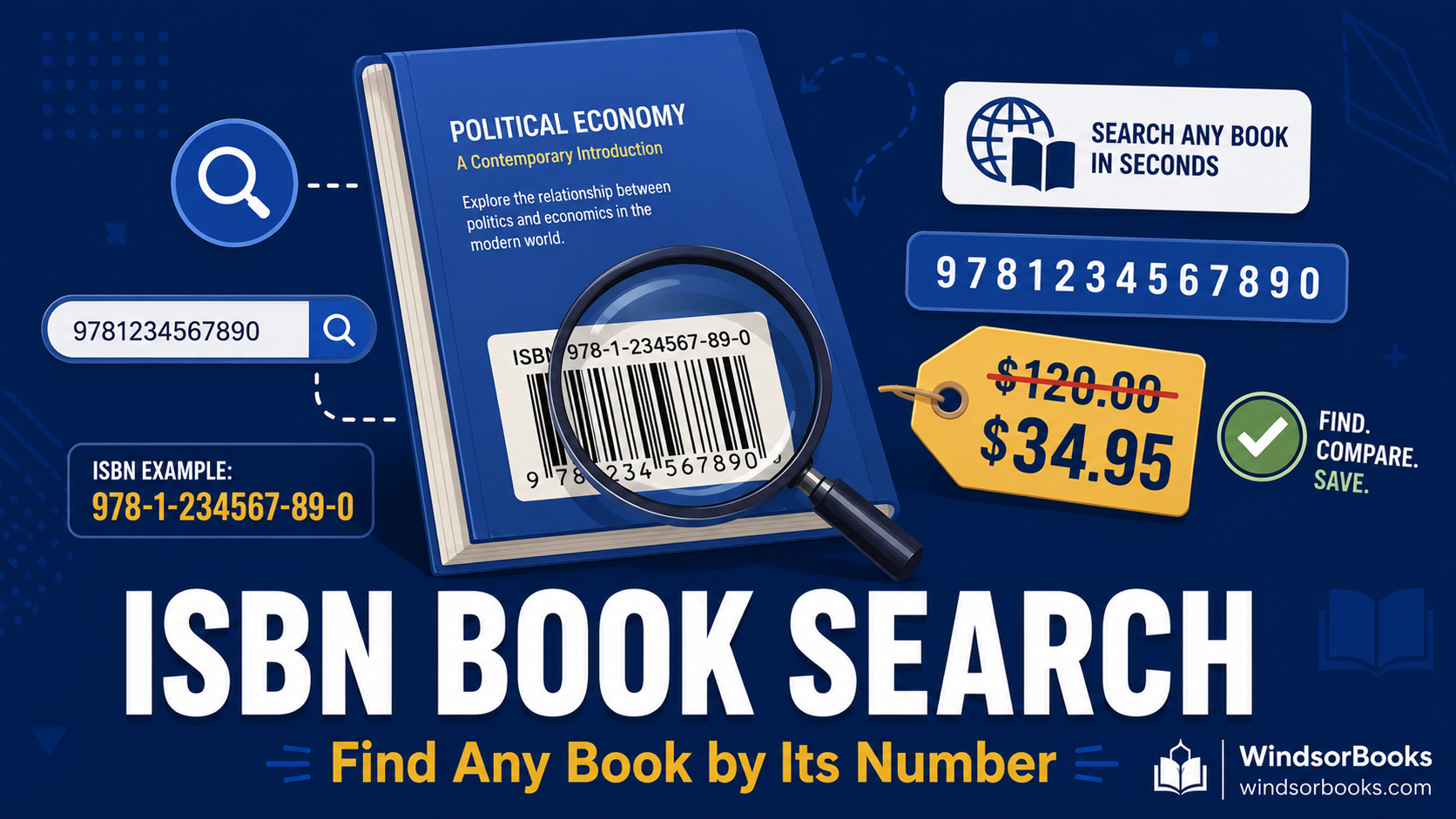
A 13-digit ISBN has five parts. Using 978-1-543211-04-4 as an example:
- 978 — the prefix, indicating this is an ISBN (only on 13-digit ISBNs)
- 1 — the registration group (country or language area)
- 543211 — the registrant (the publisher)
- 04 — the publication element (the specific title and edition)
- 4 — the check digit (used to verify the ISBN is valid)
Good news: every 10-digit ISBN also has a corresponding 13-digit version, so you can search using either format on WindsorBooks.
Where to Find the ISBN on a Book
Locating an ISBN is simple:
- Back cover — most books print the ISBN next to the barcode
- Copyright page — if it's not on the back cover, check the page with publisher and copyright information (usually near the front)
- Your syllabus — professors often list the required textbook's ISBN directly
Note: Books printed before 1970 won't have an ISBN, since the system didn't exist yet.
How to Use an ISBN Book Search
Using an ISBN to find a book is straightforward. Here's the step-by-step:
- Locate the ISBN — find the 10- or 13-digit number on the back cover or copyright page.
- Go to WindsorBooks and enter the ISBN in the search box.
- Press enter — the book and its details (title, author, edition) will display.
- Compare prices instantly — see prices from 10+ retailers to buy, rent, or sell.
That's the real power of an ISBN search: it's not just about identifying a book — it's about finding the cheapest version of the exact edition you need.
Why ISBN Search Beats Searching by Title
You might wonder: why bother with the ISBN when you can just search the title? Here's why ISBN search wins:
- Exact edition match — titles can have dozens of editions; the ISBN pinpoints the one you need
- No confusion between formats — hardcover, paperback, and eBook each have unique ISBNs
- Critical for textbooks — professors often require a specific edition, and the wrong one can mean missing content or different page numbers
- Accurate price comparison — comparing prices for the exact same edition gives you real, apples-to-apples results
For students especially, ISBN search is essential. Before buying any textbook, confirm the ISBN matches your required edition, then compare prices on WindsorBooks.
Try an ISBN Search: Popular Textbooks
Want to see ISBN search in action? Click any of these popular textbooks to view its details and compare prices instantly on WindsorBooks:
Science & Medical
- Campbell Biology 11th Edition — ISBN 9780134093413
- Mastering A&P with Pearson eText — ISBN 9780138244361
- Anatomy and Physiology 2e by OpenStax — ISBN 9781711494050
- Organic Chemistry as a Second Language — ISBN 9781119837091
- Lippincott CoursePoint — Medical-Surgical Nursing — ISBN 9781975186777
Math, Physics & Engineering
- Physics for Scientists and Engineers — ISBN 9780137319497
- Engineering Mechanics: Statics — ISBN 9780134867298
- Computer Networking: A Top-Down Approach — ISBN 9780135429334
- Big Ideas Math: Algebra 2 — ISBN 9781642088052
- NFPA 70: National Electrical Code (NEC) 2020 — ISBN 9781455922901
Business, Psychology & Social Sciences
- BUSN 12 — Business Textbook — ISBN 9780357122945
- Psychology 2e by OpenStax — ISBN 9781975076443
- Exploring Psychology by Myers — ISBN 9781319132118
- American Constitutional Law — ISBN 9781032751689
- The Cultural Landscape: Human Geography — ISBN 9780137992331
Test Prep & Humanities
- AP Human Geography Premium — Barron's — ISBN 9781506263816
- Advanced Placement United States History — ISBN 9781690305507
- The Associated Press Stylebook 2022–2024 — ISBN 9781541601659
- Thank You for Arguing — ISBN 9780804189934
- Vistas 6th Edition Spanish — ISBN 9781543306613
Other Ways to Find a Book (When You Don't Have the ISBN)
If you don't have the ISBN handy, you can still find a book by:
- Title and author — search the book name on WindsorBooks; just double-check you're selecting the correct edition
- Barcode scanning — some apps let you scan the barcode (which contains the ISBN) with your phone camera
- Library catalogs — your school library's catalog lists ISBNs for every title
Once you've identified the right ISBN, head to WindsorBooks to compare prices and find the cheapest copy.
Frequently Asked Questions
What is an ISBN book search?
An ISBN book search is when you use a book's unique ISBN number to find that exact book and its details — title, author, edition, and pricing. Because every edition has a unique ISBN, it's the most accurate way to find a specific book. Try it on WindsorBooks to instantly compare prices across 10+ retailers.
How do I find a book by its ISBN?
Locate the 10- or 13-digit ISBN on the book's back cover or copyright page, then enter it into the search box on WindsorBooks. The book's details and prices from multiple sellers will display instantly.
What's the difference between ISBN-10 and ISBN-13?
ISBN-10 is the older 10-digit format used before 2007; ISBN-13 is the current 13-digit format with a 978 or 979 prefix. Every ISBN-10 has a corresponding ISBN-13. You can search using either format on WindsorBooks.
Where is the ISBN located on a book?
The ISBN is usually on the back cover next to the barcode. If it's not there, check the copyright page near the front of the book, which lists publisher and copyright information. Your course syllabus may also list the required textbook's ISBN.
Why should I search by ISBN instead of title?
Searching by ISBN guarantees you find the exact edition you need — critical for textbooks where professors often require a specific version. Title searches can return multiple editions and formats, leading to confusion. ISBN search on WindsorBooks removes all guesswork.
Can I use ISBN search to compare textbook prices?
Yes — that's exactly what makes WindsorBooks so useful. Enter the ISBN and you'll instantly see prices from 10+ retailers to buy, rent, or sell — so you always get the exact edition at the lowest price.
Do all books have an ISBN?
Almost all books published since 1970 have an ISBN. Books printed before 1970 won't have one, since the system didn't exist yet. Some very small self-published or print-on-demand works may also lack an ISBN.
Put Your ISBN Search to Work
Now that you understand what an ISBN is and how to use it, you have one of the most powerful tools for finding and buying books online. Whether you're hunting for a textbook, confirming an edition, or comparing prices, the ISBN is your key.
Next time you need a book, find its ISBN and search it on WindsorBooks. It's free, takes seconds, and shows you every option — buy, rent, and sell — from 10+ retailers, so you always get the right edition at the lowest price.
🔍 Try an ISBN book search now — it's free →
More helpful guides from WindsorBooks: